When a disaster response site activates, whether it is an incident command post, a point of distribution, a base camp, a shelter, or a field staging area, one of the first operational requirements is internet connectivity.
Field teams need access to coordination platforms, resource management systems, GIS tools, and communication channels that increasingly depend on a working internet connection. Without connectivity, most digital response operations slow down or stop entirely.
This guide walks through the practical considerations for establishing internet access at a disaster response site, from initial assessment through sustained operations.
Step 1: Assess the Communications Environment
Before deploying any equipment, the communications environment at the site needs to be assessed. What is available, what is degraded, and what is completely down will determine which connectivity options are viable.
Key questions during the initial site assessment:
- Is there existing wired internet infrastructure at the facility? Is it functional?
- What cellular carriers have coverage at this location? What signal strength is available?
- Is cellular service congested or rate-limited due to disaster-related traffic?
- Is there line of sight to the southern sky for satellite connectivity?
- Is commercial power available, or will the site require generator or battery power?
- How many users will need access? What bandwidth-intensive applications will be running?
- What is the expected duration of operations at this site?
This assessment drives every decision that follows. A shelter expecting 200 evacuees with personal devices has very different connectivity requirements than a four-person damage assessment team operating out of a vehicle.
Step 2: Identify Available Transport Options
Internet connectivity at a field site requires at least one working transport path, the physical or wireless link that carries data between the site and the broader internet. In a disaster environment, the most common options are:
Cellular (4G LTE / 5G)
Cellular connectivity is often the fastest option to deploy. A cellular modem or hotspot with an activated SIM card can establish connectivity in minutes. However, cellular networks are frequently congested or degraded during disasters, especially in the immediate impact area. Tower damage, power loss at cell sites, and massive subscriber load can all reduce performance.
Using multiple carriers simultaneously, rather than relying on a single provider, significantly improves the likelihood that at least one usable path is available at any given time. T-Mobile, Verizon, and AT&T each operate independent tower infrastructure, so degradation on one network does not necessarily affect the others.
Satellite (LEO and GEO)
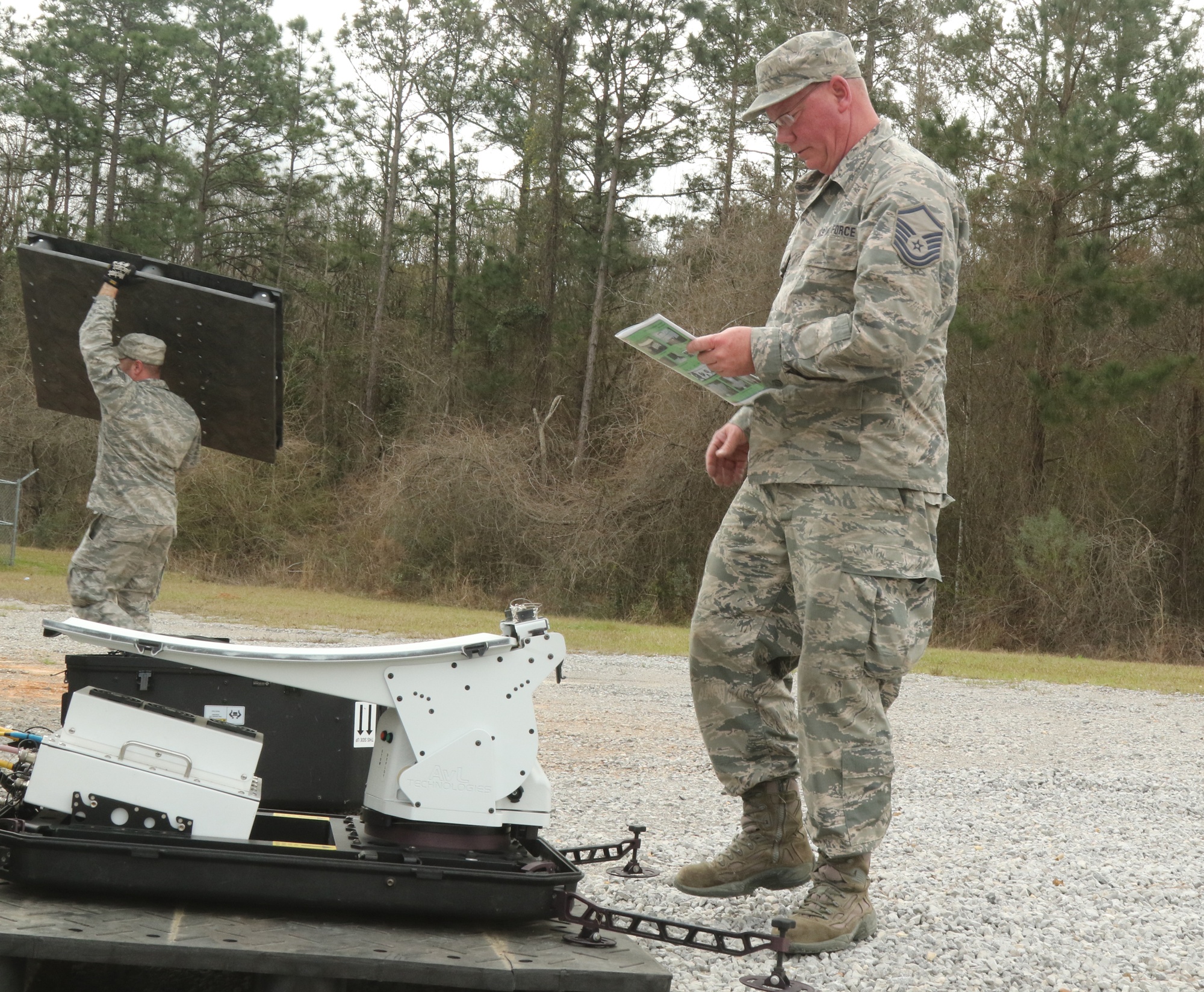
Satellite connectivity operates independently of terrestrial infrastructure, making it one of the most resilient options for disaster environments. Low-earth orbit platforms like Starlink have made satellite internet significantly more accessible and affordable for field operations, with portable terminals that can be set up in minutes.
Satellite does require clear line of sight to the sky, which can be a limitation inside buildings, under heavy tree canopy, or in dense urban environments. Weather conditions - particularly heavy rain - can also temporarily degrade satellite performance.
Existing Facility Infrastructure
If the response site is located in a building with existing internet service - such as a community center, school, or government facility - that connection may still be functional. However, it should not be treated as the sole connectivity source. The same infrastructure damage that caused the disaster may eventually affect the facility's ISP, even if it is working initially.
Mobile Command Vehicles and COML Assets
Some jurisdictions maintain mobile command vehicles or Communications Unit Leader (COML) assets with embedded connectivity. These are valuable resources but are often limited in number and may already be committed to the primary incident command post.
Step 3: Deploy Connectivity Equipment
Once the available transport options are identified, the next step is deploying the actual hardware that will provide internet access at the site.
A functional field connectivity deployment typically includes:
- Cellular modem(s) with activated SIM cards on one or more carrier networks
- Satellite terminal (if satellite is being used as a primary or backup path)
- Router capable of managing multiple WAN sources and performing failover between them
- WiFi access point(s) providing wireless network access to users and devices at the site
- Network switch for any wired Ethernet connections (printers, desktop workstations, VoIP phones)
- Power source - commercial power, generator, battery backup, or a combination
- Cabling - Ethernet cables, power extension cords, and any antenna cabling
For agencies building this capability from individual components, setup involves configuring each device independently, establishing WAN connections, configuring DHCP and WiFi SSIDs, testing failover behavior, and verifying throughput. This process requires someone with networking knowledge and can take 30 minutes to several hours depending on complexity and site conditions.
Integrated deployable communications systems, such as NetCrate, consolidate these components into a single portable platform that can be activated by operational staff without dedicated IT support. Multi-carrier cellular, satellite connectivity, WiFi, switching, routing, and battery backup are pre-configured in a ruggedized case designed for field deployment.
Step 4: Segment the Network
Network segmentation is a critical step that is frequently overlooked in field deployments. Not all users at a disaster response site should share the same network, and not all traffic should compete for the same bandwidth.
At minimum, field connectivity should support two separate network segments:
Priority Operations Network
This network is reserved for incident management staff, coordination platforms (WebEOC, D4H, Juvare), GIS systems, VoIP communications, and any other mission-critical applications. Access should be limited to authorized personnel with a non-broadcast or password-protected SSID.
Public or General Access Network
At sites where evacuees, volunteers, or the general public need internet access, such as shelters, reception centers, or community points of distribution, a separate network should be provided. This network should be bandwidth-limited and isolated from the operations network so that public traffic cannot degrade mission-critical connectivity.
Without segmentation, a shelter full of evacuees streaming video or downloading updates can consume all available bandwidth and render coordination platforms unusable for response staff. This is one of the most common connectivity failures at disaster response sites, and it is entirely preventable with proper network design.
Step 5: Establish Failover and Redundancy
Relying on a single internet connection at a disaster response site is a single point of failure. If that connection goes down, due to cellular congestion, satellite weather interference, or facility infrastructure damage — operations stop.
Effective field connectivity requires automatic failover between multiple transport paths. If the primary cellular connection degrades, traffic should route through an alternate carrier or satellite connection without manual intervention.
This is where multi-WAN routers and SD-WAN capabilities become important. The routing equipment at the site needs to monitor the health of each available connection and redirect traffic automatically when a path becomes unusable.
For agencies assembling their own deployable connectivity kits, configuring reliable failover requires networking expertise and testing. For integrated systems like NetCrate, failover between T-Mobile, Verizon, AT&T, and Starlink is pre-configured and automatic.
Step 6: Manage Power
Connectivity equipment is useless without power, and commercial power is frequently unavailable or unreliable at disaster response sites.
Power planning for field connectivity should address:
- Primary power source - generator, facility power, or vehicle power
- Battery backup - UPS or integrated battery to maintain connectivity during power transitions, generator refueling, or brief outages
- Power consumption - total wattage of all connectivity equipment to properly size generators and battery systems
- Runtime requirements - how long the site needs to operate on battery alone if primary power is lost
A common failure mode is connectivity equipment that reboots during generator refueling cycles. Even a 30-second power gap can cause modems to lose their cellular registration, routers to restart, and satellite terminals to go through a reconnection sequence, resulting in several minutes of downtime. Integrated battery backup eliminates this gap.
Step 7: Test and Verify Before Operations Begin
Once connectivity is established, it needs to be tested before operations staff depend on it.
Verification should include:
- Speed testing on each available transport path (cellular and satellite)
- Confirming access to mission-critical platforms (WebEOC, GIS, email, VPN)
- Verifying that the operations network and public network are properly isolated
- Testing failover by intentionally disabling the primary connection and confirming automatic switchover
- Confirming that battery backup maintains connectivity during a simulated power loss
- Documenting the network configuration, SSIDs, passwords, IP ranges, for the operations staff who will be using and maintaining the connection
Taking 15 minutes to verify connectivity before the site goes operational prevents hours of troubleshooting after staff are already trying to work.
Step 8: Monitor and Maintain During Operations
Field connectivity is not a set-and-forget deployment. Conditions change throughout a disaster response operation. Cellular towers that were functional during setup may become congested as more responders arrive. Weather changes can affect satellite performance. Power situations evolve.
Someone at the site, whether it is a Communications Unit Leader, an IT specialist, or an operations staff member — should be designated as the point of contact for connectivity issues and should periodically verify that the connection is performing adequately.
For extended operations, monitoring should include periodic speed tests, checking battery charge levels, confirming that failover paths are still available, and coordinating with the logistics section if generator fuel or additional power is needed.
Planning Ahead Is Always Better Than Reacting
The agencies that establish field connectivity most effectively during disasters are the ones that plan, procure, and practice before the activation happens. Trying to source equipment, configure networks, and troubleshoot connectivity problems during the first operational period, when everything else is also happening, creates unnecessary operational friction.
Pre-positioned, pre-configured deployable communications systems that can be activated quickly by operational staff significantly reduce the time between site activation and operational connectivity. That time savings directly translates to faster coordination, better situational awareness, and more effective response operations.
NetCrate was designed specifically for this use case — portable, multi-carrier, satellite-capable, battery-backed, and ready to deploy without dedicated IT support. See the deployable communications kit page for procurement-specific detail, or how the Starlink + cellular failover architecture works under the hood. Documented setup and failover behavior is available on the field test results page.
Specifications and pricing are available at nexaer.tech. For agencies evaluating deployable communications solutions, quote requests are available for both unmanaged hardware purchases and managed service contracts.
Learn more about NetCrate
Portable multi-network connectivity for disaster response and field operations.